
Answer
Note: This section applies to Ververica Platform 2.0-2.8+
Important: Starting with VVP 2.15.2, checkpointing is no longer always forced globally by the platform defaults. Make sure you explicitly enable checkpointing via deployment defaults or deployment configuration if you need LATEST_STATE behavior.
Re-starting Flink jobs automatically from the latest state, aka the LATEST_STATE restore strategy, is one of the product features that Ververica Platform provides on top of Flink. The latest state can be a checkpoint or a savepoint whichever is the latest one at the restoring time. To have the LATEST_STATE restore strategy, you need to configure the following:
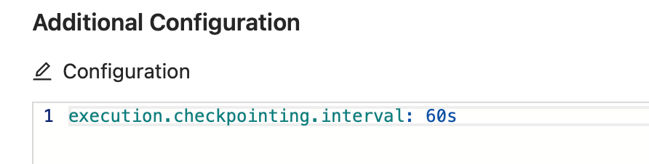
1) Enable checkpointing in your Flink job. For example,
execution.checkpointing.interval: 60s
You can also configure this via the "Advance" editor on the Ververica Platform's Web UI:
2) Retain checkpoints when your job fails or is canceled.
execution.checkpointing.externalized-checkpoint-retention: RETAIN_ON_CANCELLATION
You can also configure this via the "Advance" editor on the Ververica Platform's Web UI:

Note: If this is not configured, checkpoints will not be retained. As a result, the LATEST_STATE restore strategy will behave in the same way as the LATEST_SAVEPOINT restore strategy.
3) Configure Kubernetes HA such that the latest checkpoint can be remembered and used upon job restoring
high-availability: vvp-kubernetes
Important: For Flink 1.18+ on Kubernetes and Ververica Platform 2.12+, use Flink's Kubernetes HA services and a persistent storageDir:
spec:
  template:
    spec:
      flinkConfiguration:
        high-availability.type: kubernetes
        # Must point to durable storage reachable by JM/TM (S3, ABFS, HDFS, PVC-mounted FS, etc.)
        high-availability.storageDir: s3://<YOUR_BUCKET>/flink-ha
high-availability: vvp-kubernetes is for pre 2.12 Ververica Platform.
You can configure this via the "Advance" editor on the Ververica Platform's Web UI:

Note: If this is not configured, when your Flink job fails (i.e., exhausted the configured retry attempts), Ververia Platform will restart the job from scratch. This means, the job will be restarted either from an empty state or from a savepoint that it was initially started with.
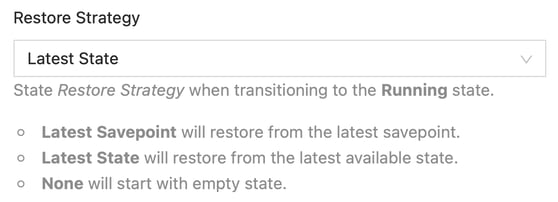
4) Configure the LATEST_STATE restore strategy. While the configuration in (1)-(3) are all Flink configurations, the LATEST_STATE restore strategy is configured at the deployment level:
spec:
  ...
  restoreStrategy:
    kind: LATEST_STATE
You can configure this via the "Advance" editor on the Ververica Platform's Web UI:
Related Information
Written by Jun Qin · Published 25 Feb 2022 · Last updated 11 Nov 2025